keycloak-cli
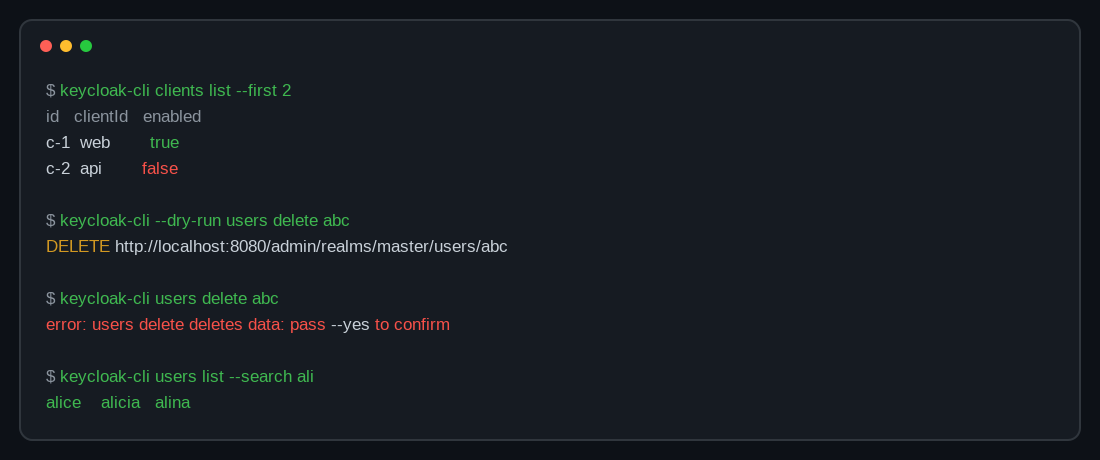
Keycloak's admin API has 415 operations. kcadm.sh covers the
useful-looking ones; for everything else you end up writing curl with a token you
fetched by hand, and typing the same realm and URL shape again next week.
This is the whole thing as commands, named after the API path and verb, so
clients list, users role-mappings realm get and
organizations invitations resend all just exist.
What changes for you
- You log in once per terminal.
keycloak-cli loginkeeps the token for that shell; scripts and completions reuse it. Another terminal asks for a password until it logs in — that is the point. - TAB knows your data. After logging in,
--realmcompletes realm names and user, group and client arguments complete from the API. Values are cached for a minute, so the next TAB is instant. - The output fits the caller. Table in a terminal, JSON when
piped, or YAML, markdown and HTML on request;
--fieldspicks the columns. - You can look before you leap.
--dry-runprints the request (method, URL with its query, and the body), and everydeleteneeds--yes. - There is a report, too.
keycloak-cli reportwrites a markdown or self-contained HTML page with charts of users, events and sessions, for the times a table is not the answer.
Getting it
curl -fsSL https://raw.githubusercontent.com/rust-utility/keycloak-cli/main/install.sh | sh
keycloak-cli self-update --check
The installer downloads the binary for your platform (macOS arm64/x86_64, static
musl Linux aarch64/x86_64), checks it against the release's
SHA256SUMS and installs it. keycloak-cli self-update
does the same from the CLI. cargo install keycloak-cli works as well.
A five-line script
keycloak-cli login
for c in $(keycloak-cli clients list --fields clientId | tail -n +2); do
  keycloak-cli clients get "$c"
done
keycloak-cli logout